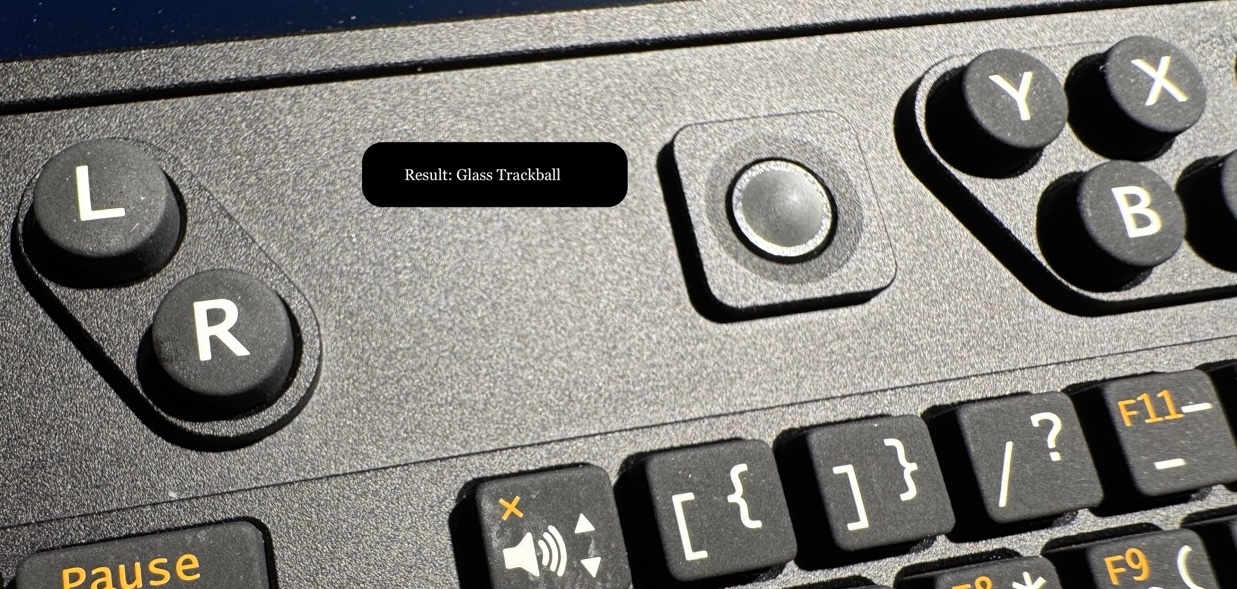
EVQWJN007 Trackball
The EVQWJN007 is a specialized sub-miniature navigation switch, commonly recognized as a Trackpoint or “pointing stick,” manufactured by Panasonic. It serves as a compact alternative to a mouse or touchpad, primarily integrated into laptops and specialized industrial controllers.
You migth be intrested in:
- Improved uConsole Keyboard keypress & light diffuser
- Improved uConsole Keyboard firmware
How it works
The EVQWJN007 functions as a high-precision 4-way directional switch featuring an integrated center-push “enter” command. Unlike standard mechanical buttons, it relies on the physical rotation of an internal trackball against a 4-axis roller system. This movement triggers Hall Effect sensors, which detect changes in magnetic fields to translate physical motion into precise digital cursor coordinates.
Understanding this mechanical dependency is critical for troubleshooting. If your trackpoint becomes sluggish, loses sensitivity, or stops responding entirely, the issue is rarely electronic. Instead, it is usually a mechanical failure: the tiny internal trackball or the surface of the axes has lost the necessary friction. Without sufficient resistance, the ball slips rather than gripping the rollers, preventing the Hall Effect sensors from registering any movement.
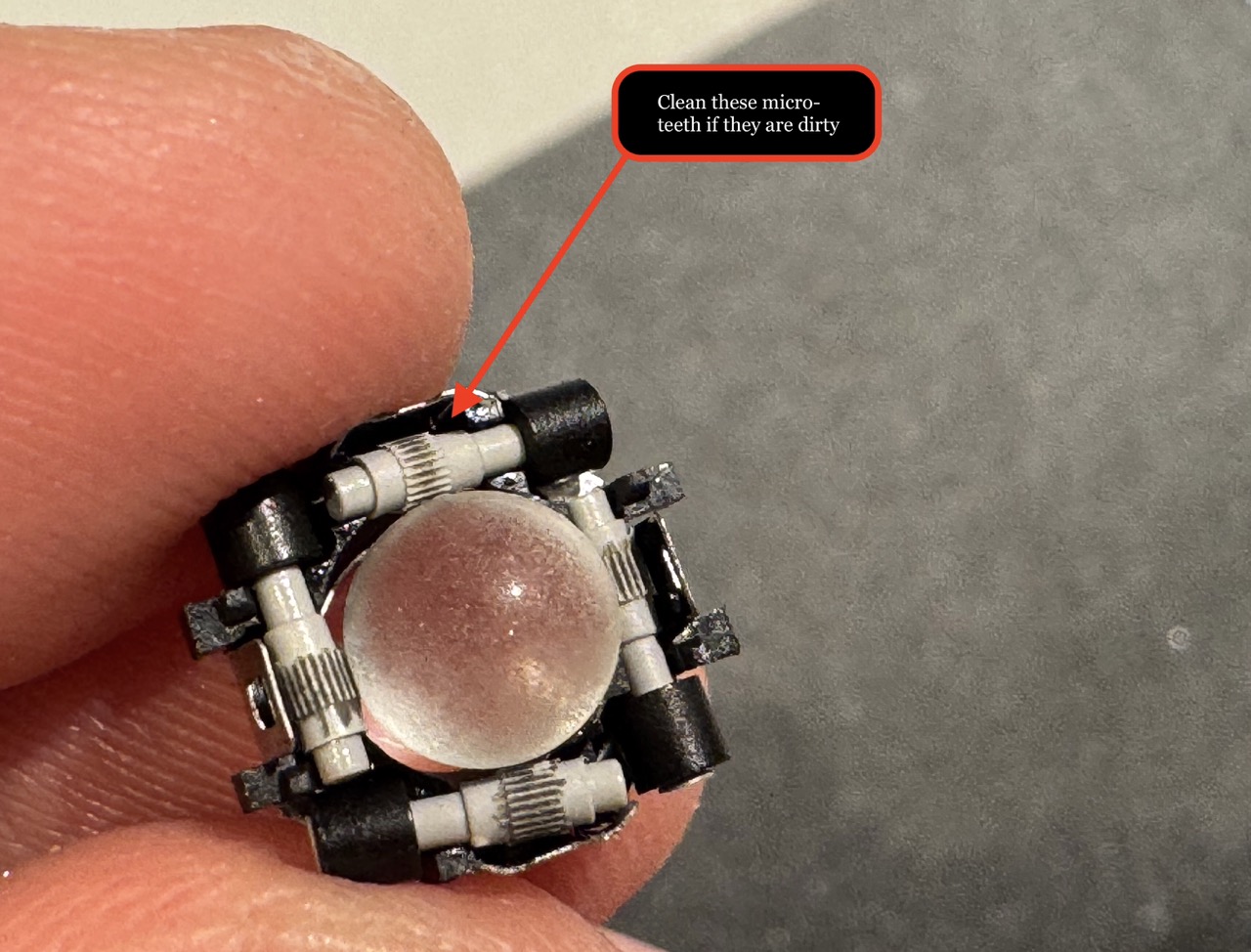
Let’s Disassembling the EVQWJN007
To disassemble the EVQWJN007 module, the most effective method is to hold it upside down (with the trackball facing the floor) at an angle. Use a pair of precision tweezers to carefully unclip at least two of the retaining clips around the edges. This allows the top white plastic housing to pop off, exposing the core mechanism: four miniature axes fitted with tiny “teeth” designed to grip the trackball’s surface.
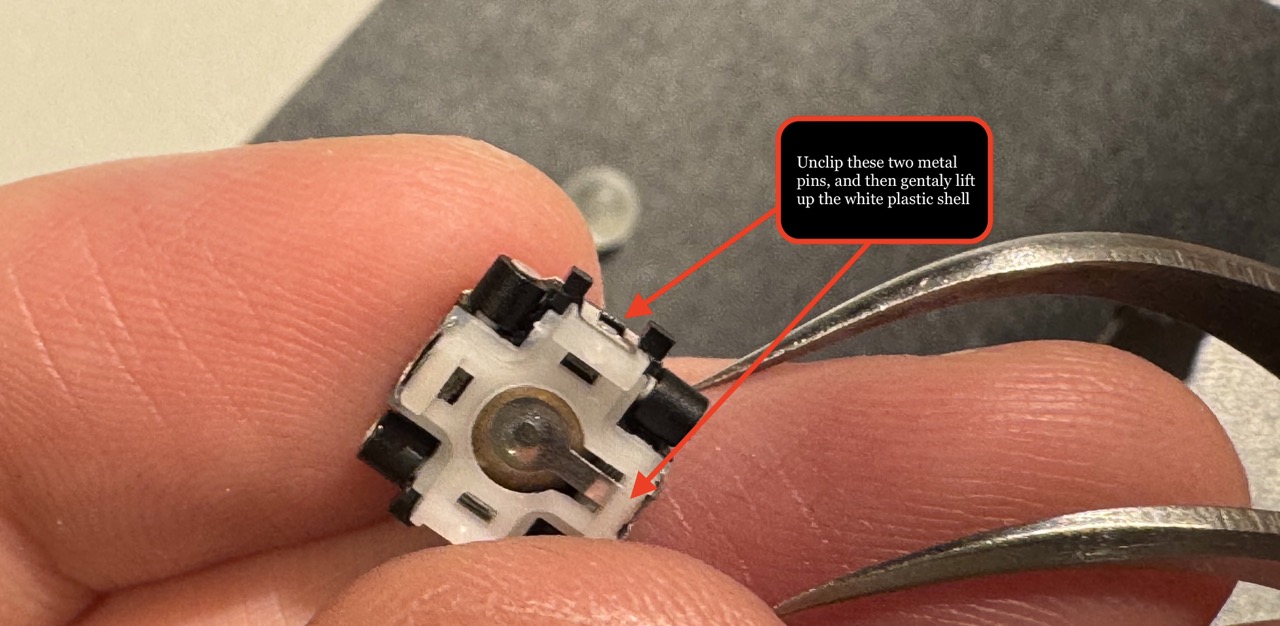
Improving Precision: The 5.5mm Ball Modification
The stock ball measures approximately 5.38mm~5.40mm. However, there is a slight amount of internal “play” or dead space when pushing the ball, which can lead to sensor tracking errors. To eliminate this slack, you can upgrade to a slightly larger 5.5mm ball. These are most commonly found in materials like brass, steel, or glass.
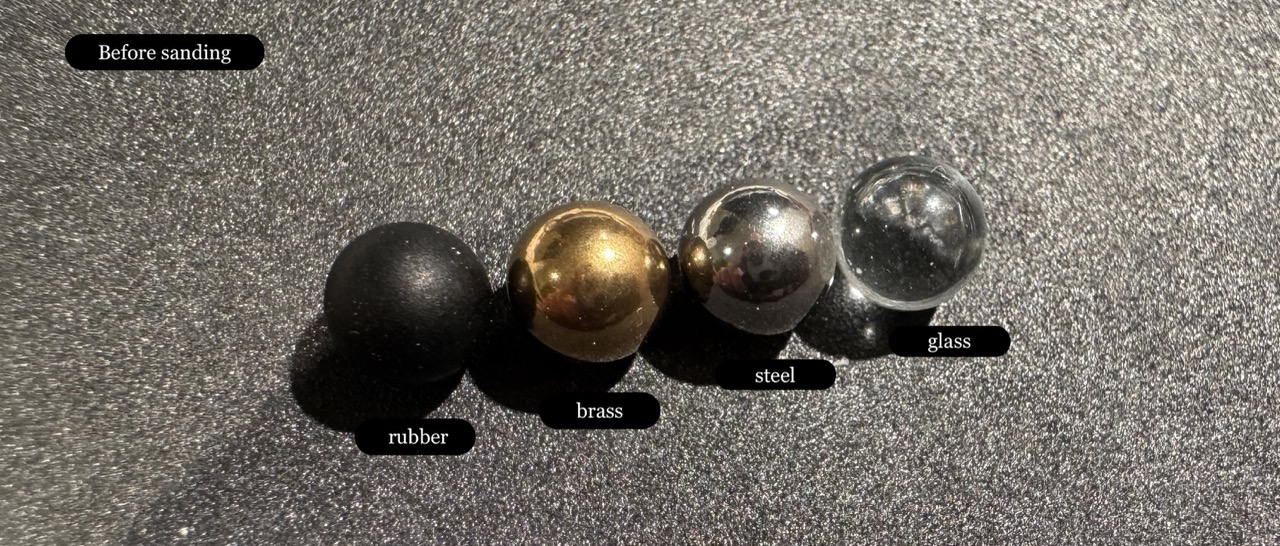
Solving the Surface Friction Issue
While the 5.5mm balls fit more snugly, their factory-smooth surfaces are problematic. Without texture, the ball simply slides against the axis teeth without rotating them, resulting in zero cursor response.
To fix this, you must manually resurface the ball to create friction:
-
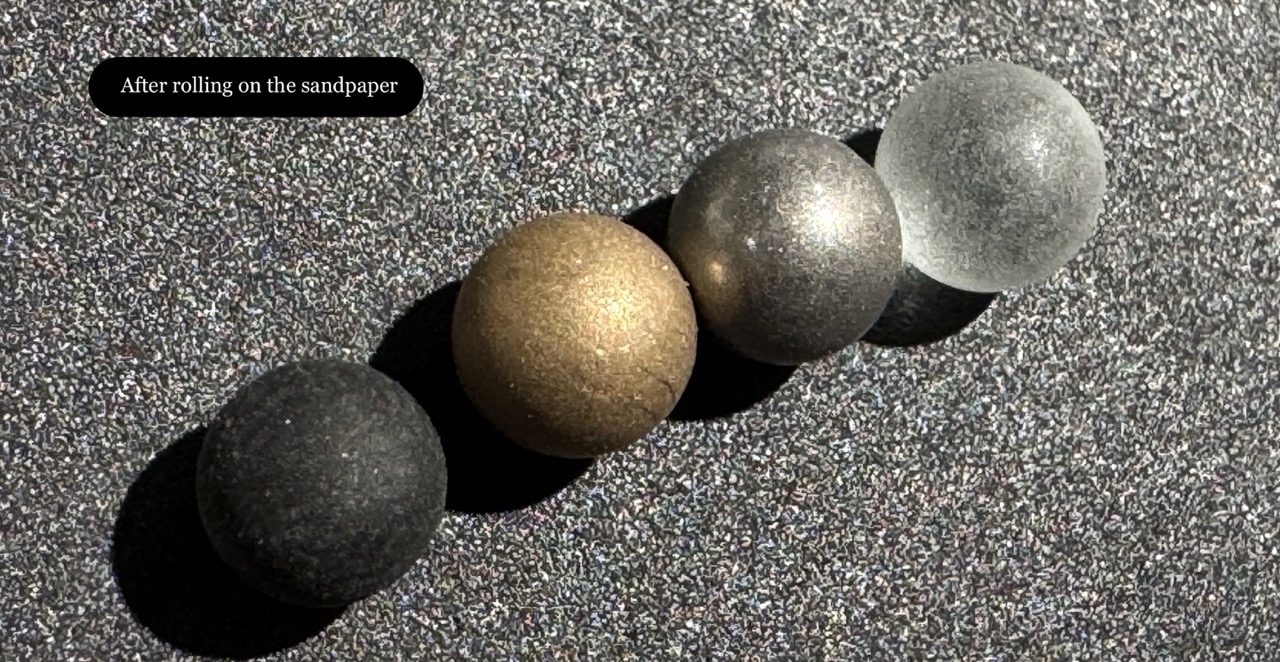
Select the Right Grit: Through testing, P600 sandpaper provides the ideal balance of roughness without damaging the roller ball.
-
The Technique: Do not sand the ball directly with your fingers. Instead, place the ball onto the sandpaper and roll it gently across the surface until the finish is visibly matte and textured.
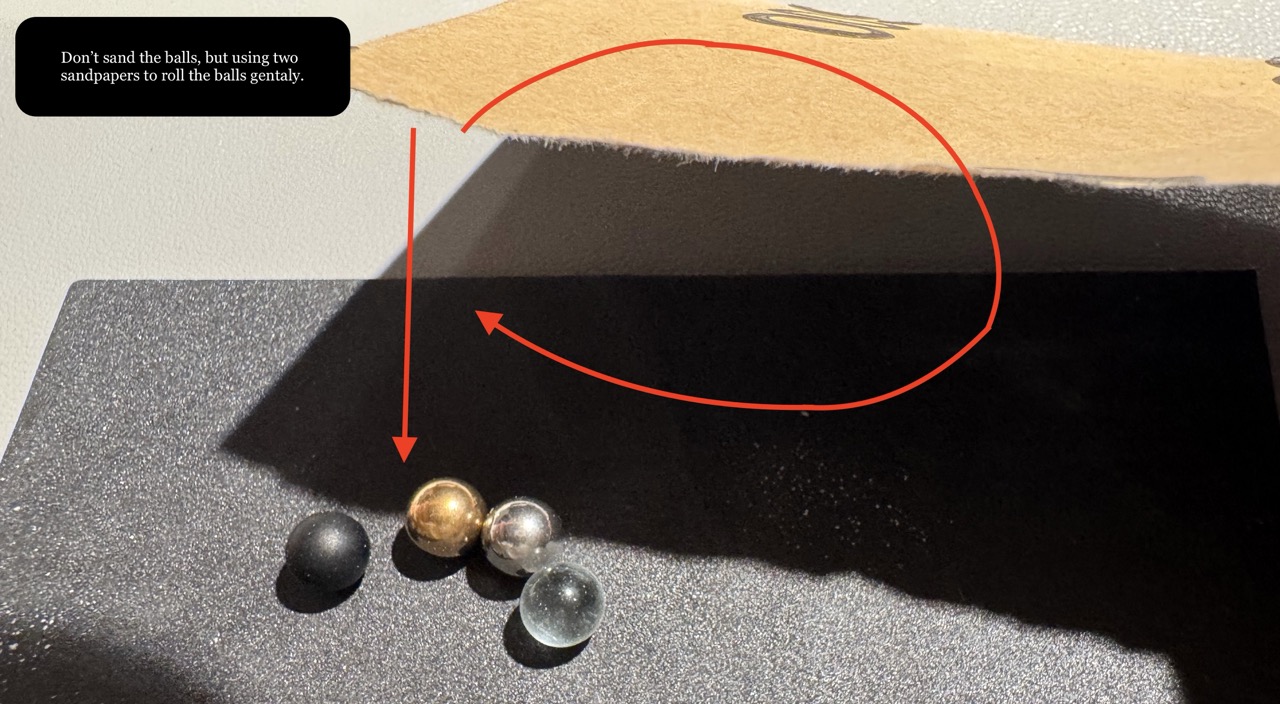
- The Result: This “roughed-up” surface allows the 5.5mm ball to catch the tiny teeth of the axes, providing much higher sensitivity and eliminating the mechanical play found in the original part.
Reassembling the Trackball
Gently place your replacement ball (or your newly textured original ball) back into the module shell. Before snapping it shut, ensure the white plastic housing—which contains a specific metal contact—is oriented correctly.
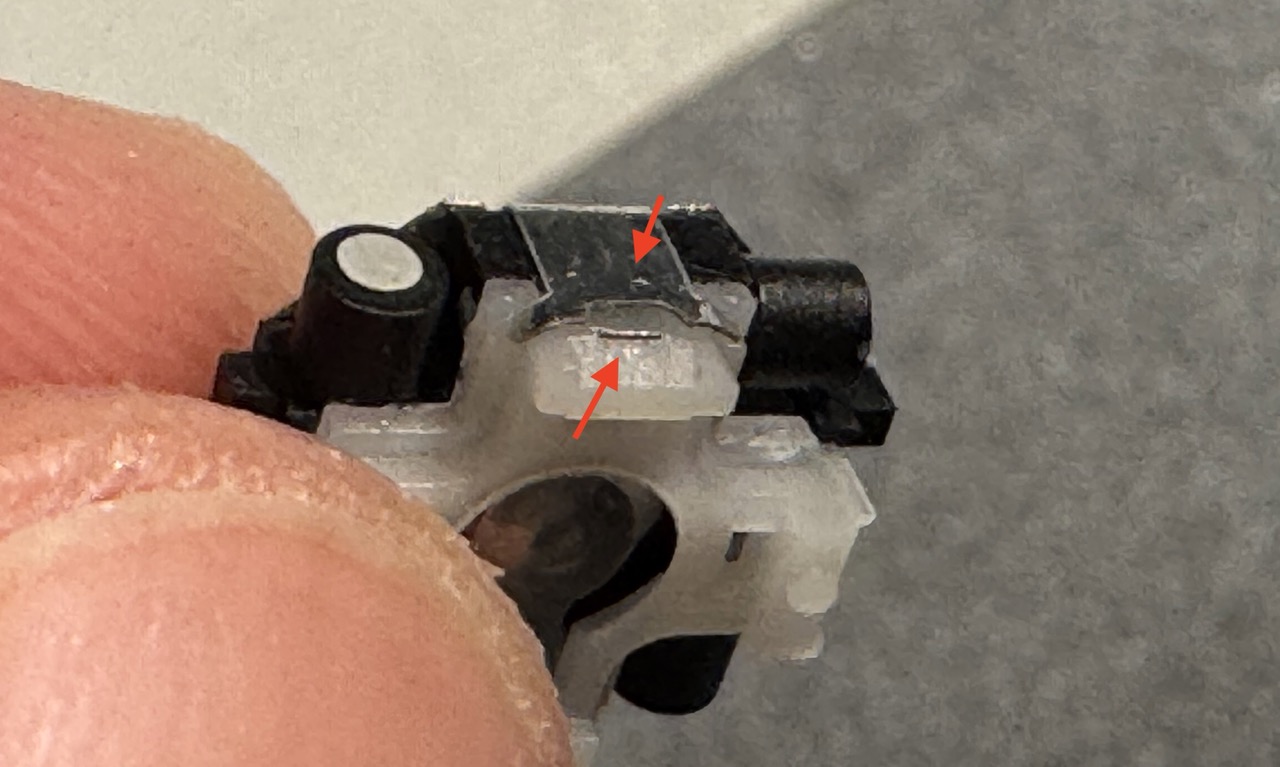
Note: If the four-axis rails shift out of alignment during the process, take a moment to gently guide them back into their slots with a pair of tweezers. Once aligned, the white top shell should click firmly back into place with minimal pressure.
Testing & Performance Review
There are typically two variations of the EVQWJN007 found on the market, and they handle modifications differently:
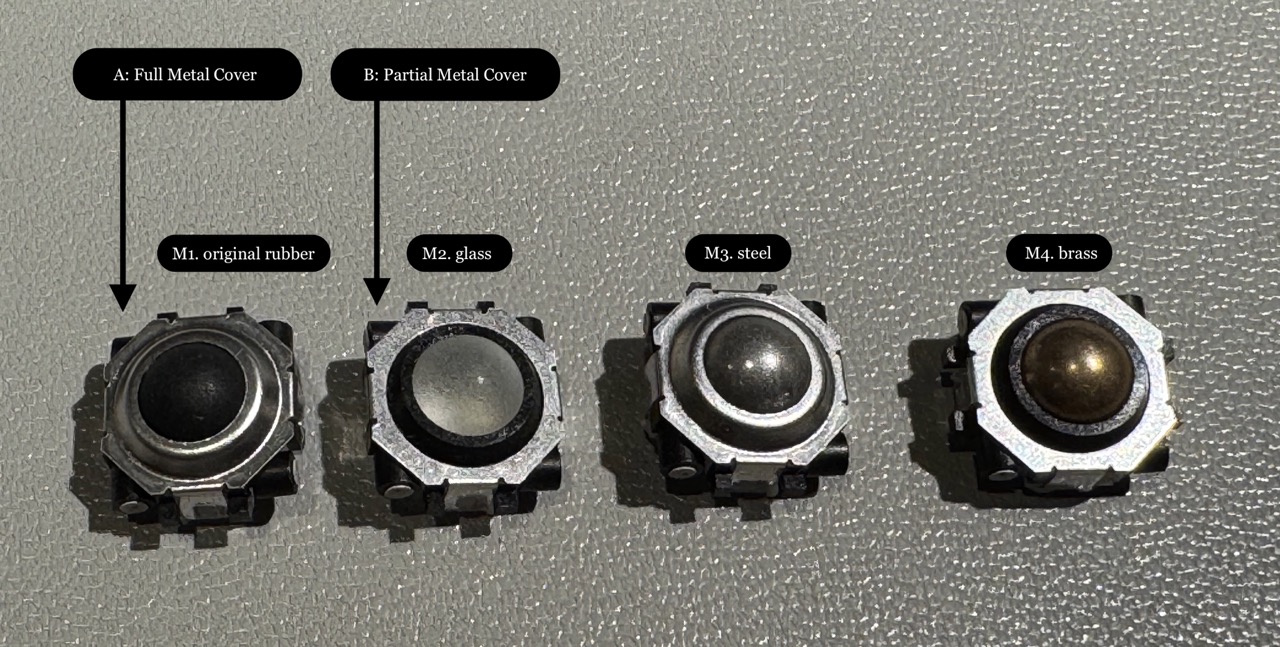
1. Type A: Full Metal Cover
As shown in the photos, Type A features a comprehensive metal shroud.
- Fit: The higher metal edge provides a tighter fit in most devices, preventing the module from shifting during use.
- Material Compatibility: I found that using a metal replacement ball in this version creates significant friction and unpleasant grinding noise.
- Best Results: For Type A modules, stick with the original rubber/plastic ball. After performing the sandpaper resurfacing trick, the original ball feels significantly smoother and more responsive against the metal edges.
2. Type B: Partial Metal Cover
This version has a smaller metal plate, exposing more of the plastic housing.
-
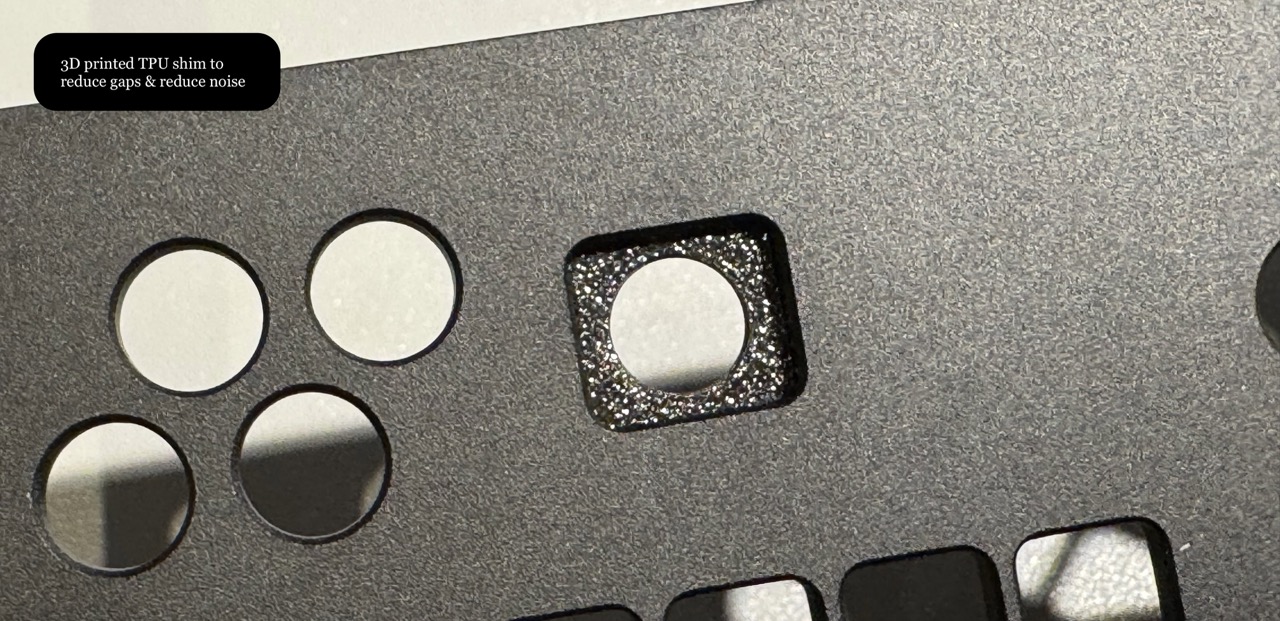
Fit Issues: The top circular section is slightly smaller and shorter than Type A. In devices like the uConsole, this can cause the module to “wobble” or shift inside the casing.
-
The Solution: I solved this by adding a TPU 3D Printed shim (see photo). This not only stabilizes the module but also acts as a dampener to reduce noise that would otherwise be amplified by the uConsole’s metal chassis.
Final Recommendations
- Restoration Success: If your trackball is sluggish or unresponsive, the resurfacing method is highly effective. I tested this on five “broken” EVQWJN007 modules, and all five were restored to perfect working order.
- Best for Metal Covers (Type A): Do not swap the ball. Simply clean and “rough up” the original ball for the best tactile experience. Other metal materials are functional, but they can be noisy and increase resistance.
- Best for Partial Covers (Type B): If you feel adventurous, the 5.5mm glass ball works exceptionally well. In general, non-metal materials provide a much quieter and smoother glide than steel or brass.
- Caution: We do not know the long-term durability and impact to the mechanism of using harder materials. Please monitor wear over time if you choose to use brass, steel, or glass balls.