uConsole QMK Firmware
The ClockworkPi uConsole is a dream for many in the Cyberdeck and retro-computing communities. Its modular design and rugged aesthetic make it feel like a tool pulled straight from a sci-fi novel. However, for those of us who use it as a “daily driver,” there is one area that often feels a bit unpolished: the input experience.
That’s why I created qmk-uconsole, a project dedicated to bringing the QMK (Quantum Mechanical Keyboard) firmware to the uConsole.
The Motivation
The stock firmware on the uConsole is functional, but it lacks the depth of customization that power users expect from a specialized device. My primary motivations were:
- The “Premium” Feel: I love this device, but the stock input experience—specifically the trackball—felt a bit “off.” It wasn’t as intuitive or smooth as it could be. I wanted the inputs to feel responsive and high-end.
- Centralizing Community Knowledge: Information on uConsole mods is often fragmented across forums and Discord servers. I wanted to create a “single source of truth” for keyboard and trackball optimization.
- True Customization: Whether it’s remapping keys, adding layers, or creating macros, QMK is the gold standard. By porting it to the uConsole, we unlock the full potential of its internal hardware.
How It Works
The uConsole keyboard operates via an Arduino-compatible microchip. This makes it a perfect candidate for QMK, though the integration requires careful tuning to work with the uConsole’s specific layout and trackball.
1. Fine-Tuning the Trackball
The uConsole uses the EVQWJN007 Trackball, which can feel mismatched with the device’s dense 5-inch display (1280x720). Standard mouse curves often feel sluggish or erratic on this screen size.
In the qmk-uconsole firmware, I completely customized the acceleration and sensitivity logic, optimizing it specifically for the 5” viewport. This ensures that a quick flick can traverse the entire screen, while slow movements offer the pixel-perfect precision needed to interact with small UI elements.
2. Overcoming Voltage Limitations (Custom Bootloader)
Perhaps the most significant engineering challenge was a hardware quirk involving voltage reliability. Under certain conditions, voltage fluctuations would cause the standard QMK bootloader to panic, resulting in the keyboard getting stuck in DFU (Device Firmware Update) mode on boot—rendering the device unusable until reset.
To solve this, I rewrote the bootloading mechanism. The new logic performs a strict validation at startup:
- It checks the integrity of the current firmware.
- It verifies if a DFU upload request is actually coming from the host.
If no active upload is detected, the bootloader bypasses the wait state and forces the main application to load immediately. This eliminates the “stuck loop” issue, ensuring the keyboard is ready to type the moment the device powers on.
3. The “Don’t Panic” Installation
Firmware flashing can be intimidating. To solve this, the repository includes a simplified “Don’t Panic” guide. It walks you through the process of preparing the environment, compiling the firmware, and flashing the internal controller without the fear of “bricking” your hardware.
4. Web-Based Testing
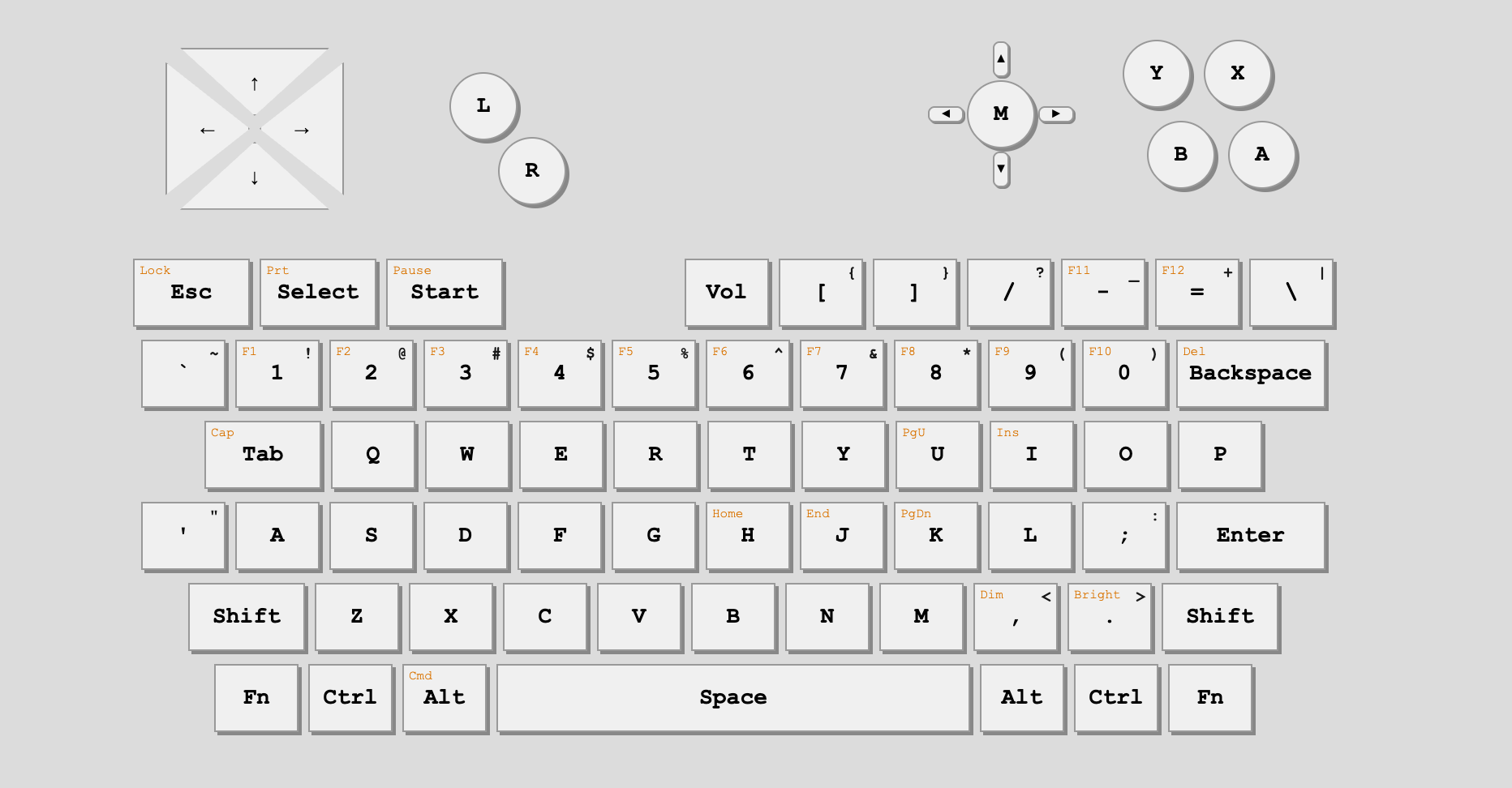
To make the transition easier, I also hosted a Web-Based Keyboard Tester. This allows users to visualize their layout and verify every keypress and trackball movement in real-time before and after flashing.
Key Features
- Custom Keymaps: Full QMK support means you can define your own layers. Need a dedicated Numpad layer or media keys? It’s just a line of code away.
- Trackball Optimization: Significantly improved response times and movement smoothness compared to the factory default.
- Reliability: Built-in fixes for common community issues, such as sticking keys or inconsistent modifier behavior.
Getting Started
If you’re ready to take your uConsole to the next level, the repository has everything you need—from the source code to pre-compiled binaries for those who want to jump straight in.
Check out the project here: 👉 https://github.com/j1n6/qmk-uconsole
The uConsole is a fantastic piece of hardware. With the right firmware, it finally feels like the professional-grade Cyberdeck it was meant to be.
Happy hacking!